Google Adsense Verification Pin UPDATE
Google Adsense Verification Pin UPDATE
Here’s What Publishers Need to Know in 2025
March 2025 — In a move to enhance security and ensure genuine participation on its platform, Google AdMob has revised its identity verification process for publishers. If you’re a developer or content publisher monetizing apps with AdMob, understanding these changes is crucial to avoid payment holds or ad stoppages.
📜 What Was the Old Process?
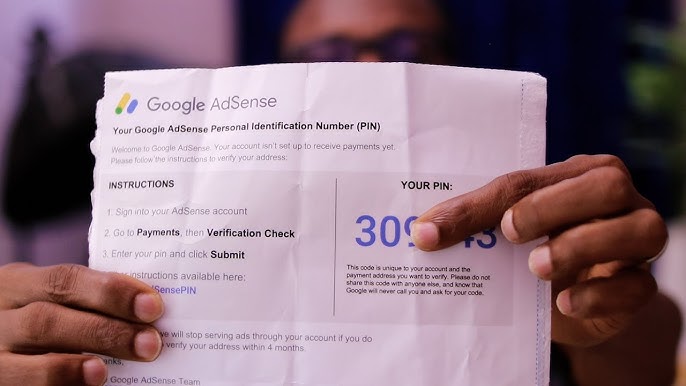
Traditionally, AdMob followed a PIN-based verification system, a process similar to Google AdSense. Here’s how it worked:
- Publisher added address to their payments profile.
- Once earnings reached the verification threshold (usually $10 USD), Google would:
- Send a physical letter containing a 6-digit PIN via international standard mail.
- The publisher would then:
- Receive the PIN at their postal address (in 2–4 weeks).
- Log into their account and enter the PIN to complete verification.
This process verified only the postal address, not the identity of the person or business behind the account.
🚨 Why Did Google Change It?
Due to growing fraudulent activities, false identities, and policy abuse, Google needed a more secure and reliable system to:
- Confirm the real identity behind AdMob accounts.
- Comply with international KYC (Know Your Customer) regulations.
- Speed up the verification timeline using digital tools.
🆕 What’s New in 2025?
Google has now introduced a modern online identity verification process, replacing the old PIN-only model for most publishers.
🔐 New Process: Identity + Face Verification
Here’s how the new system works:
- Online Verification via Persona
- Google has partnered with Persona, a secure identity verification platform.
- Users submit a government-issued ID and perform a facial scan using their phone or webcam.
- The process usually takes less than 10 minutes.
- Data Handling
- Google only stores your name for verification.
- All other information (face scan, ID photo) is handled by Persona and deleted afterward as per their privacy policy.
- Deadline
- You have 45 days to complete the process from the day you’re notified.
- Failure to do so will result in ads being disabled on your app(s).
💡 Alternative Method (Still Available)
For those who don’t want to go digital, Google still offers the traditional PIN-based method as a fallback. However:
- It’s much slower (2–4 weeks).
- Still requires submission of your ID manually.
- Used only in limited cases or locations.
📝 Step-by-Step: How to Verify Your Identity in AdMob (New Way)
- Go to: https://admob.google.com
- Navigate to Payments > Verification tab
- Under “Identity Verification”, click Verify Now
- Follow the Persona process:
- Submit a clear, non-expired government-issued ID
- Complete a facial scan
- Wait for the review (can take a few hours to a couple of days)
⚠️ Common Reasons for Verification Failure
- Name mismatch: Payment profile name ≠ Name on ID
- Country mismatch: ID country ≠ Profile country
- Document issues: Blurry, expired, cropped, or unsupported documents
- Lighting issues: Reflections, glare, or dark photos
- Wrong document type: Only Passport, National ID, or Driver’s License are accepted
🔄 If rejected, you can try again, but Google allows only limited attempts to prevent abuse.
🧾 Document Requirements
| Requirement | Must Have |
|---|---|
| Valid ID | Government-issued (passport, national ID, driver’s license) |
| Clear Photo | No glare, good lighting, full view |
| Name Match | ID name = Payments profile name |
| Country Match | Same country on ID and profile |
| No Expiry | Document must be current |
📣 Final Words
This policy change reflects Google’s commitment to secure, transparent, and fraud-free monetization platforms. While it adds an extra step, it ensures that only legitimate users can earn through AdMob.
If you’re a developer, don’t wait until the last minute. Complete your identity verification process now and ensure uninterrupted ad service and payments.
**Need Help?**If your identity verification fails or you’re stuck, use Google’s Identity Verification Troubleshooter.
**Please don’t forget to leave your comments—your feedback has always been incredibly important to me.